The Dashboard
The Dashboard is the first page you see after logging in. It gives a real-time overview of contract activity across your organisation.
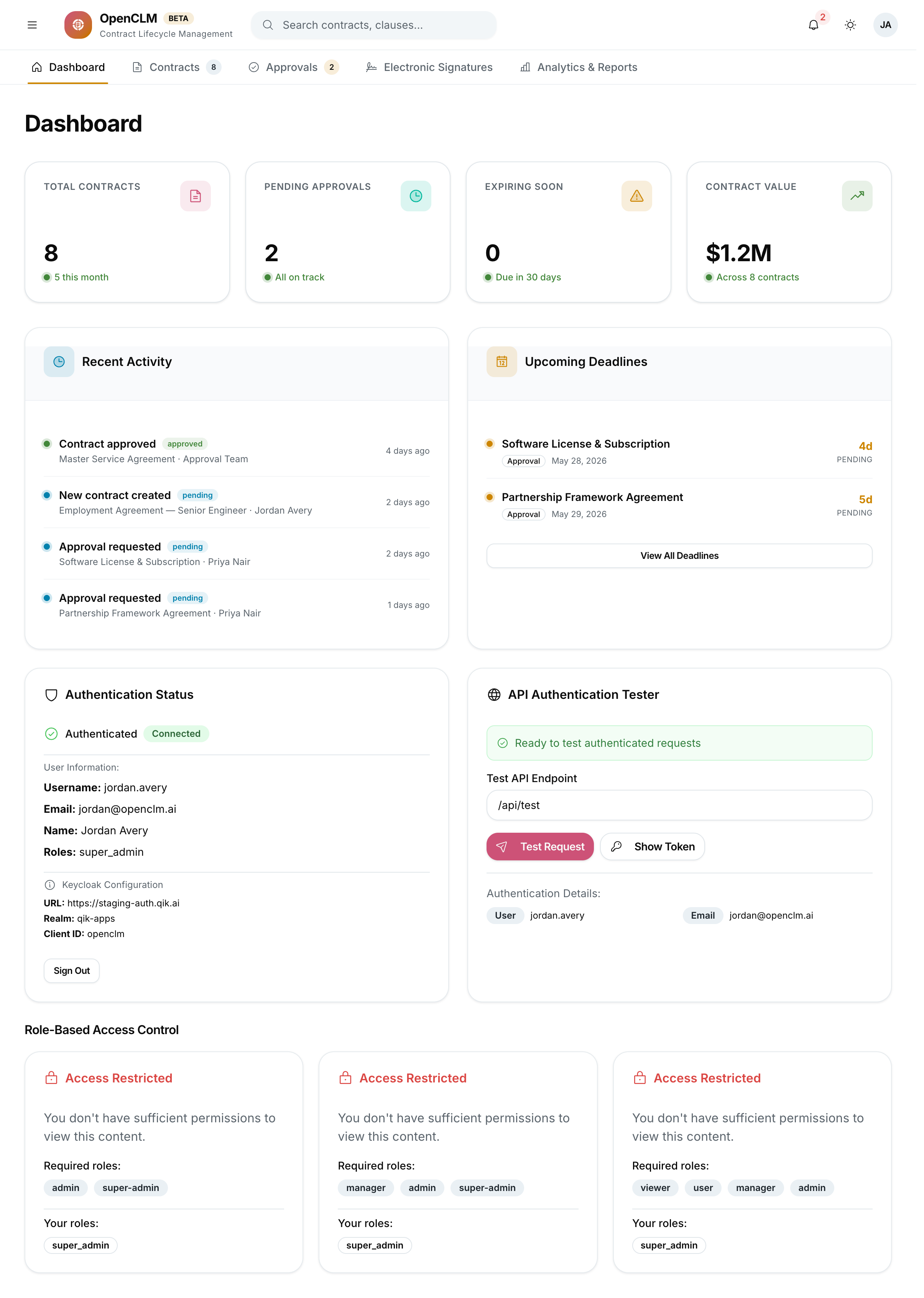
Dashboard Sections
Summary Cards
At the top of the dashboard, four KPI cards show the most important at-a-glance figures:
| Card | What it shows |
|---|---|
| Total Contracts | All contracts in the system (all statuses) |
| Active Contracts | Contracts with status = Active |
| Pending Approvals | Contracts awaiting your action in an approval workflow |
| Expiring Soon | Contracts expiring within the next 30 days |
Clicking any card takes you directly to the filtered Contracts list.
Recent Activity
A chronological feed of events across all contracts you have access to:
- Contract created / updated / status changed
- Approval requested / approved / rejected
- Signature request sent / completed
- Obligation deadline approaching
Upcoming Deadlines
A list of contracts and obligations with due dates in the next 30 days, sorted by urgency. Click any row to open the contract or obligation detail page.
Roles and Visibility
Dashboard data is always scoped to what you are permitted to see:
- A Contract Author sees only their own contracts.
- A Department Head sees all contracts in their department.
- A Super Admin or Contract Manager sees the full organisation view.
Navigation
Use the sidebar (left panel) to jump to any module:
| Sidebar item | Module |
|---|---|
| Dashboard | This page |
| Contracts | Contract repository |
| Clause Library | Reusable legal clauses |
| Approval Center | Contracts awaiting your review |
| E-Signatures | Signature requests and status |
| Analytics | Reports and trend dashboards |
| Deadlines | Expiry and renewal tracker |
| Obligations | Post-signature obligation tracking |
| Contract Letters | Generate formal letters from templates |
| Settings | Account, notifications, organisation |
| Roles | Role and permission management (admin only) |
| Integrations | Third-party service connections (admin only) |