Approval Center
The Approval Center is a dedicated view that aggregates every contract currently waiting for your action. Instead of hunting through individual contracts, you see every pending request in one place.
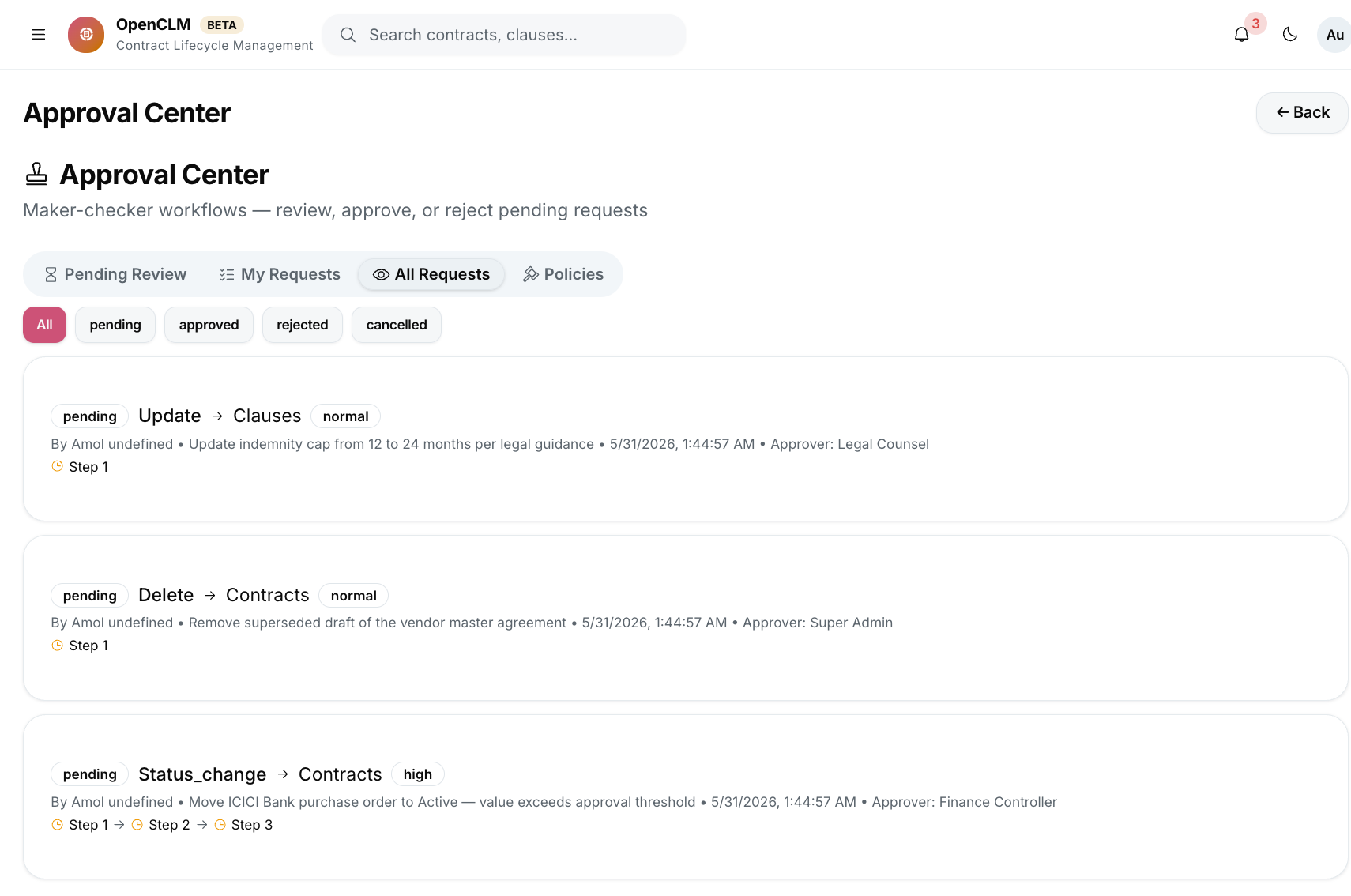
Opening the Approval Center
Click Approval Center in the left sidebar.
The Pending Queue
The queue lists all contracts where you are the current approver:
| Column | Description |
|---|---|
| Contract | Title and type |
| Submitted by | The contract author |
| Submitted at | When the request was routed to you |
| Due by | Deadline set by the workflow template |
| Step | Current step name (e.g. "Legal Review") |
| Value | Contract monetary value |
| Priority | Auto-calculated urgency (High / Medium / Low) |
Contracts are sorted by due date by default. Overdue requests appear in red.
Reviewing a Contract
Click any row to open a split-pane view:
- Left pane: The full contract document — scroll to read the complete text.
- Right pane: Metadata, your approval action buttons, and a comment box.
Actions Available
| Action | Description |
|---|---|
| Approve | Marks your step as approved; triggers the next step or marks the contract Approved |
| Reject | Returns the contract to Draft with your rejection reason |
| Request Changes | Similar to Reject but the contract stays Under Review and the author is notified |
| Delegate | Reassigns this approval to another user |
| Download PDF | Downloads the contract for offline review |
Filtering the Queue
Use the filter bar at the top to narrow by:
- Status: Pending / Overdue / Delegated
- Contract type
- Submitted date range
- Submitter
Bulk Approve
For straightforward approvals (e.g. low-value renewals), you can select multiple contracts and click Bulk Approve. Add an optional comment that applies to all selected contracts.
Bulk approve should only be used when you have reviewed the contracts. OpenCLM logs each approval individually in the audit trail even when using bulk mode.
Completed Approvals
Click the Completed tab to see your approval history — all contracts you have approved or rejected, newest first.
Email Notifications
You receive an email for every new approval request. The email contains:
- Contract title, type, and value.
- The submitter's name and the step you are assigned to.
- A one-click Approve button (opens the Approval Center with the contract pre-selected).
- A View Contract button for full review.
Configure notification frequency under Settings → Notifications.