Clause Library
The Clause Library is OpenCLM's centralised repository of reusable legal building blocks. Instead of copy-pasting text across documents, your legal team maintains approved clause versions in one place and inserts them into any contract with one click.
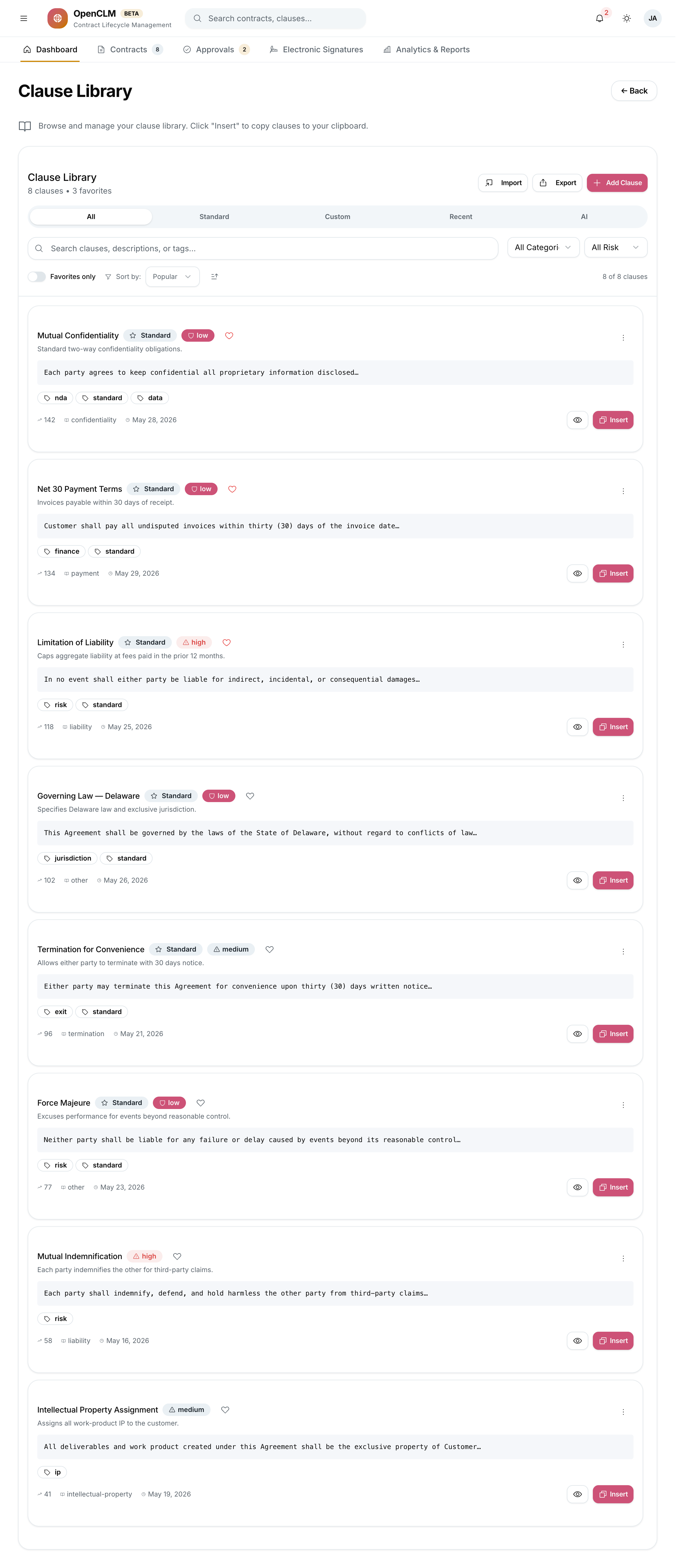
Accessing the Clause Library
Click Clause Library in the sidebar.
You can also access clauses inline while editing a contract via the right-panel clause search.
Key Capabilities
Clause Versioning
Every clause is versioned independently. When you publish a new version:
- The old version is archived but still visible on contracts that used it.
- Authors are notified if a contract contains an outdated clause.
Smart Suggestions
When authoring a contract, OpenCLM's Smart Clause Suggestions engine analyses the contract type, counterparty industry, and existing body text to suggest relevant clauses from the library. Suggested clauses appear at the top of the Clause Library sidebar.
Compliance Analytics
The Clause Compliance view shows:
- Which clauses are most used / least used.
- Contracts that reference an outdated version of a clause.
- Contracts that are missing mandatory clauses.
Clause Relationships
Some clauses are logically related — for example, an "Indemnity" clause typically requires a companion "Insurance" clause. The Relationship Manager lets Legal Counsel define these dependencies so authors are warned when they add one clause but not its required companion.
Creating a Clause
- Go to Clause Library → New Clause.
- Fill in:
- Name — short, descriptive (e.g. "Mutual NDA — Confidentiality Obligation")
- Category — Liability, Indemnity, IP, Confidentiality, Governing Law, Payment, Termination, Other
- Content — the clause body text (supports full rich text formatting)
- Mandatory — toggle on if this clause must always appear in contracts of a given type
- Tags — free-text tags for search
- Click Save as Draft or Publish.
Clause Categories
| Category | Typical use |
|---|---|
| Confidentiality | NDA obligations, trade secret protection |
| Liability | Caps, exclusions, limitations |
| Indemnity | Indemnification obligations |
| IP & Ownership | Assignment, license grants |
| Payment | Invoicing terms, late fees |
| Governing Law | Jurisdiction, dispute resolution |
| Termination | Notice periods, for-cause termination |
| Compliance | GDPR, regulatory obligations |
| Force Majeure | Unexpected events |
Inserting Clauses into Contracts
While in the contract editor:
- Place your cursor at the target position.
- In the right panel, search for the clause by name or category.
- Click Insert — the clause text is pasted at the cursor.
- Mandatory clauses can also be pinned to always appear at the top/bottom of the document.
Clause Insights
The Insights tab (within a specific clause) shows a usage history:
- Number of contracts using this clause.
- Contracts using outdated versions.
- Most recent contracts where it was inserted or removed.