Document Attachments
Every contract in OpenCLM can have supporting documents attached to it — exhibits, statements of work, amendments, signed copies, regulatory filings, or any other file that belongs with the agreement.
Supported File Types
| Format | Max size |
|---|---|
| 25 MB | |
| Word (DOCX) | 25 MB |
| Excel (XLSX / CSV) | 25 MB |
| Images (PNG, JPG, TIFF) | 10 MB |
| ZIP | 50 MB |
Attaching Documents
- Open a contract and click the Documents tab.
- Click Attach File (or drag-and-drop files onto the panel).
- For each uploaded file, you can optionally set:
- Document type — Exhibit, SOW, Amendment, Cover Letter, Signed Copy, Other
- Description — a brief note visible in the document list
- Click Upload.
Organising Documents
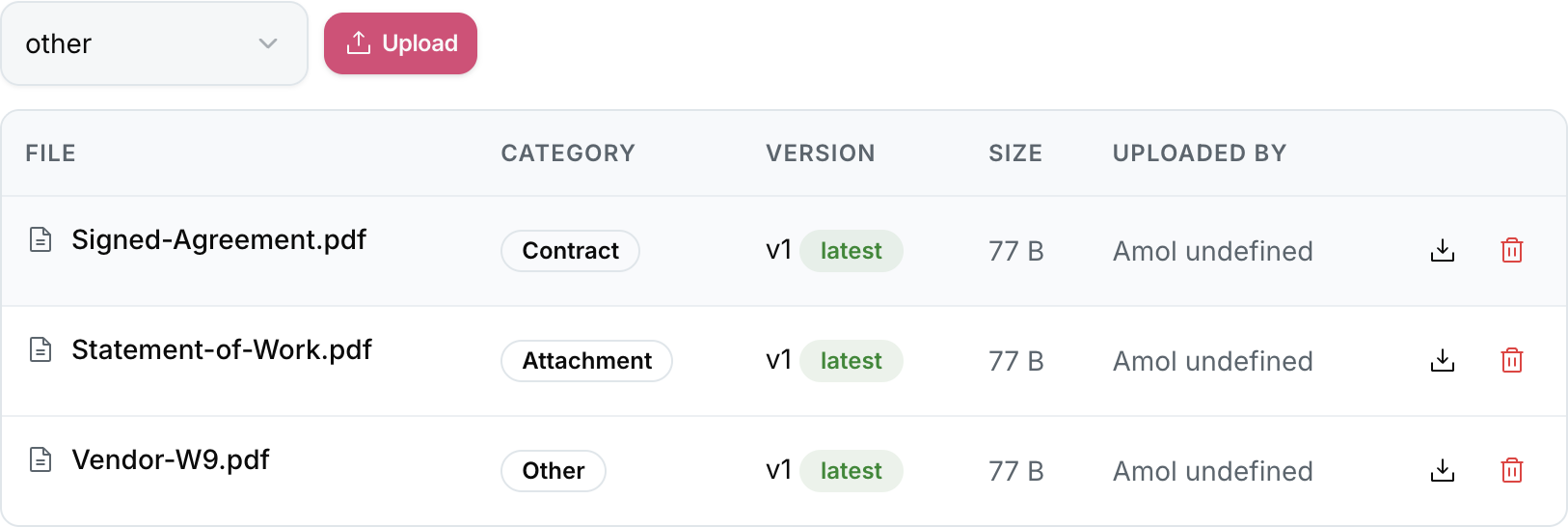
Documents are listed in a table showing: Name, Type, Uploaded by, Upload date, Size.
You can:
- Rename any document inline.
- Download individual files.
- Preview PDFs and images without downloading.
- Delete documents (Contract Manager / Admin only).
- Reorder documents by dragging rows.
Document Visibility & Permissions
Document visibility follows the contract's permission model:
- Any user with read access to the contract can download attachments.
- Confidential documents can be marked as restricted — only users with the
documents:managepermission can view them.
Versioning Attachments
If you re-upload a file with the same name, OpenCLM asks whether to:
- Replace the existing file (the old file is archived in version history).
- Add as new version (both files are kept; the latest is shown by default).
Bulk Download
Select multiple documents using the checkboxes and click Download Selected to receive a ZIP archive of all selected files.